
Meeting Agenda
ProductivityTurn your monday.com board items into a meeting agenda. Present live or export to PDF.
About
Most meetings don't fail because people are unprepared. They fail because nobody agreed on what was getting covered, in what order, and for how long.
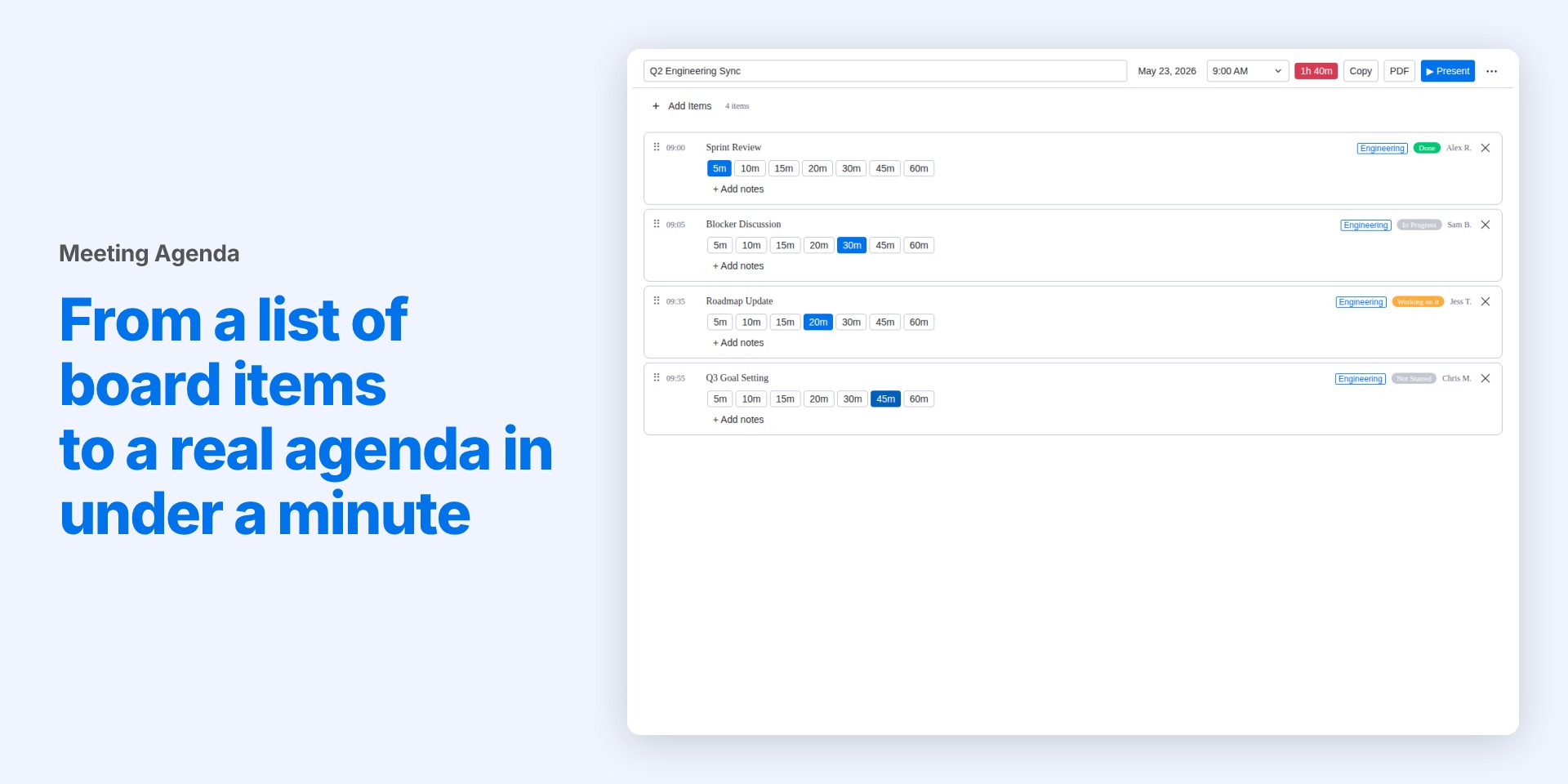
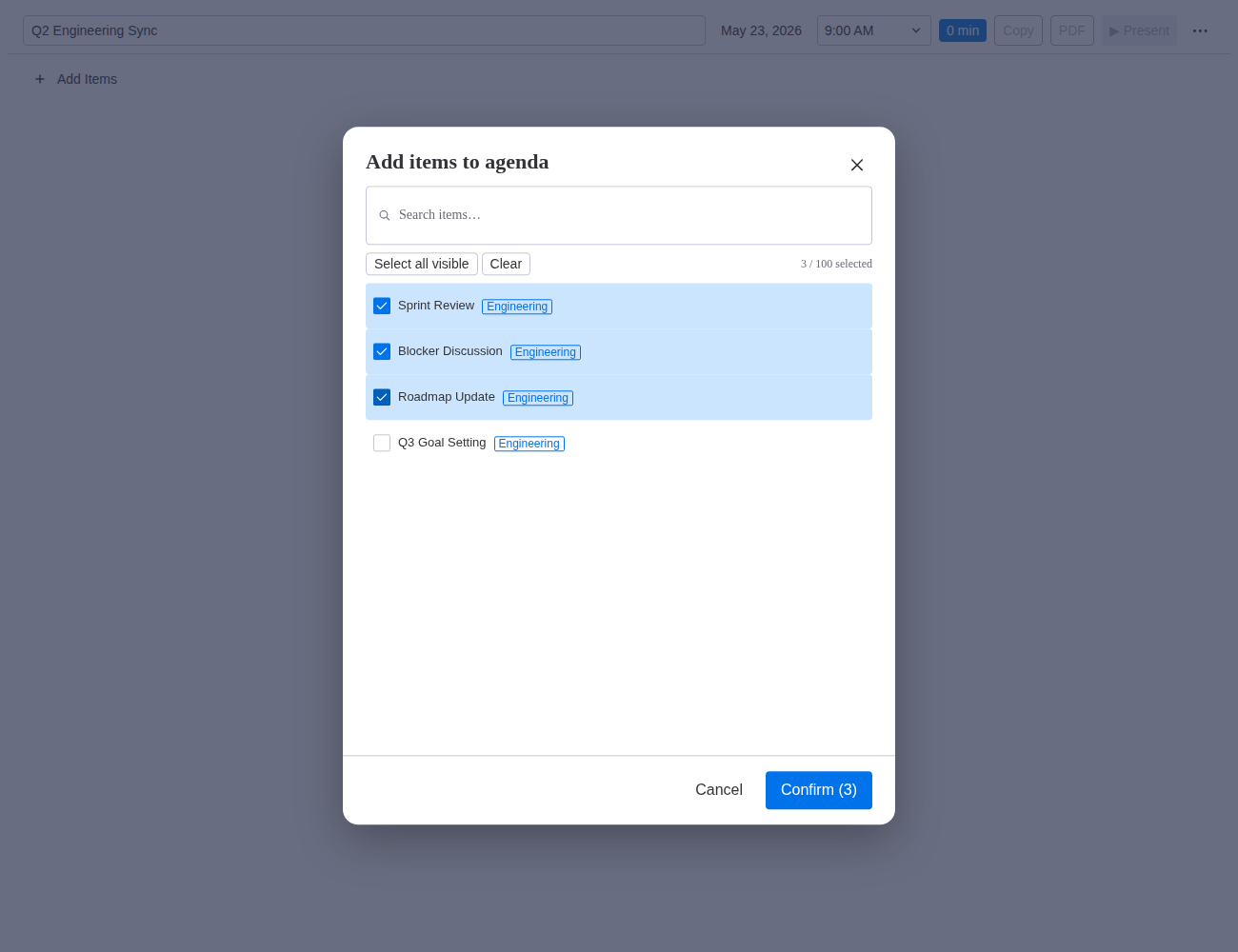
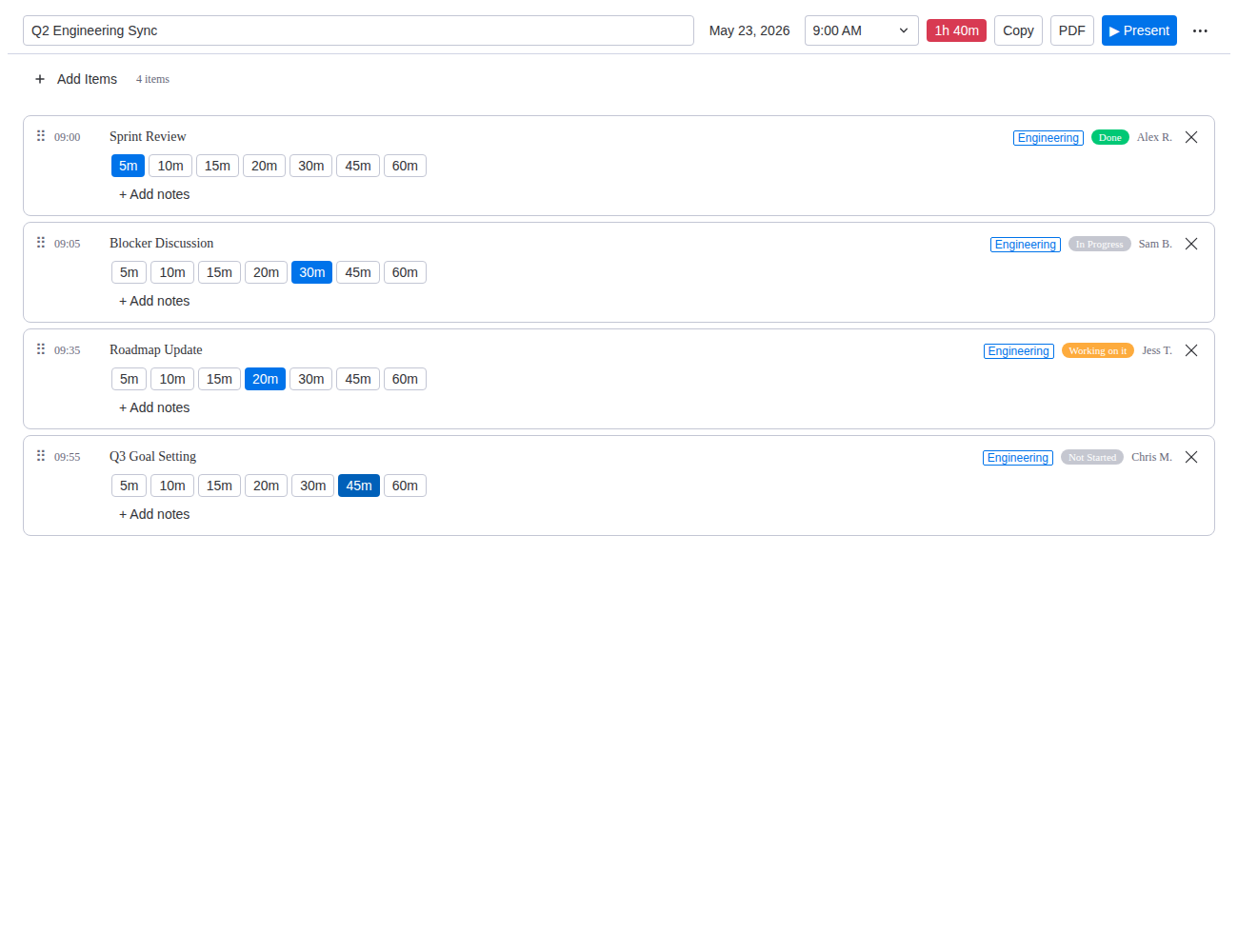
Meeting Agenda is a monday.com board view. Pick the items you want to cover, put them in order, set a duration for each, add a title and start time. That's your agenda.
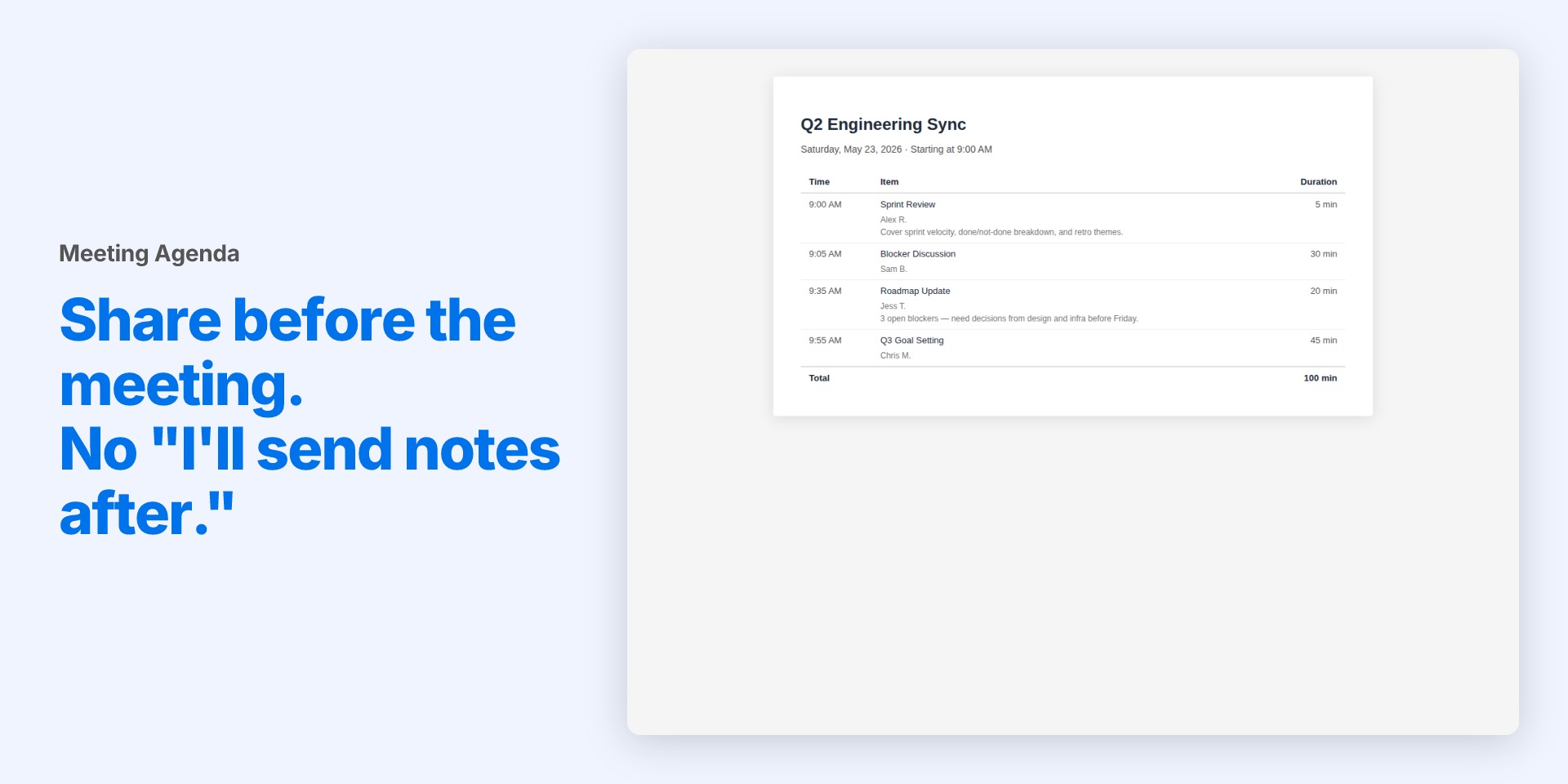
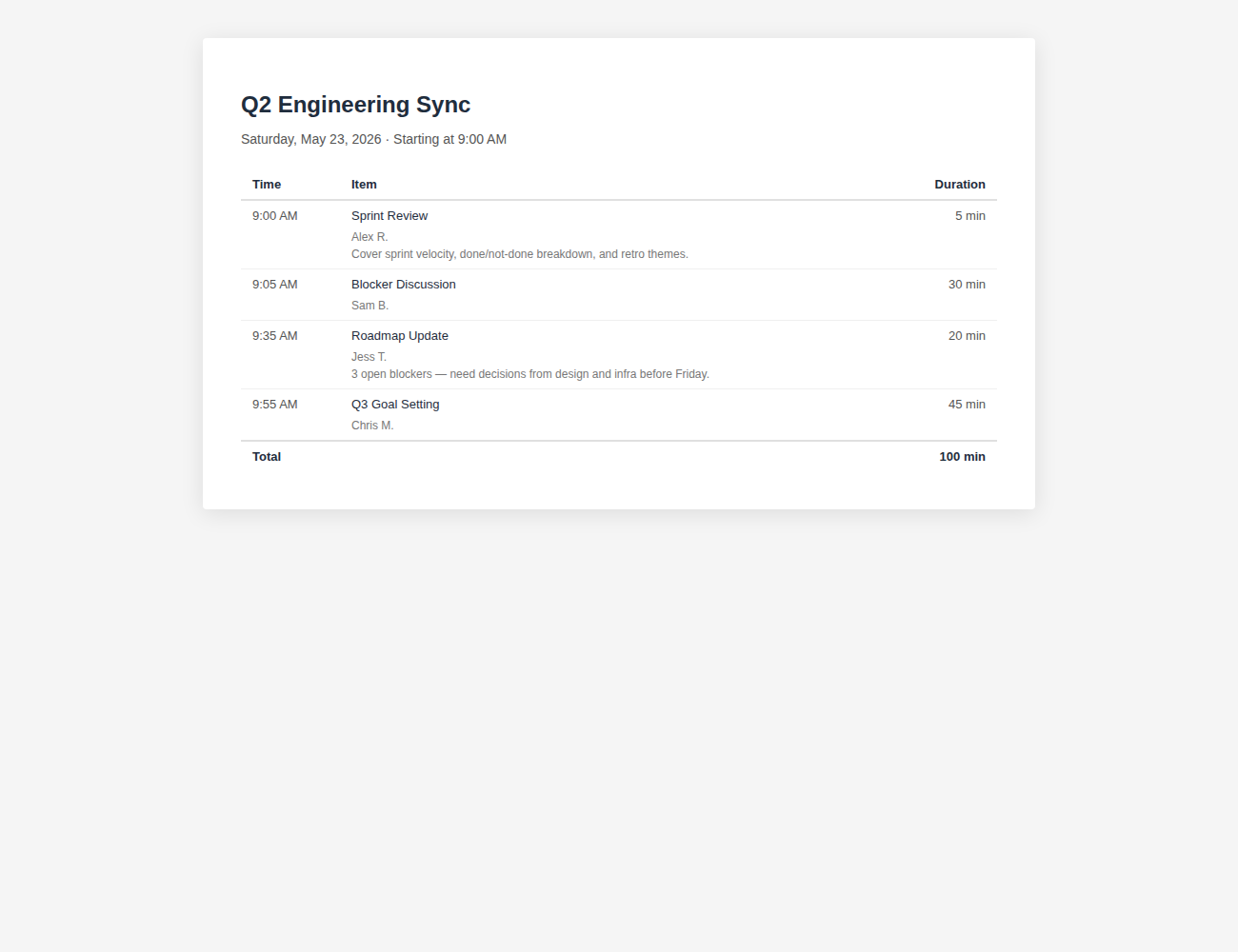
From there you have two options. Copy and paste the agenda into an email or doc (free), or export a clean PDF to send to attendees (free for up to 3, unlimited on Pro).
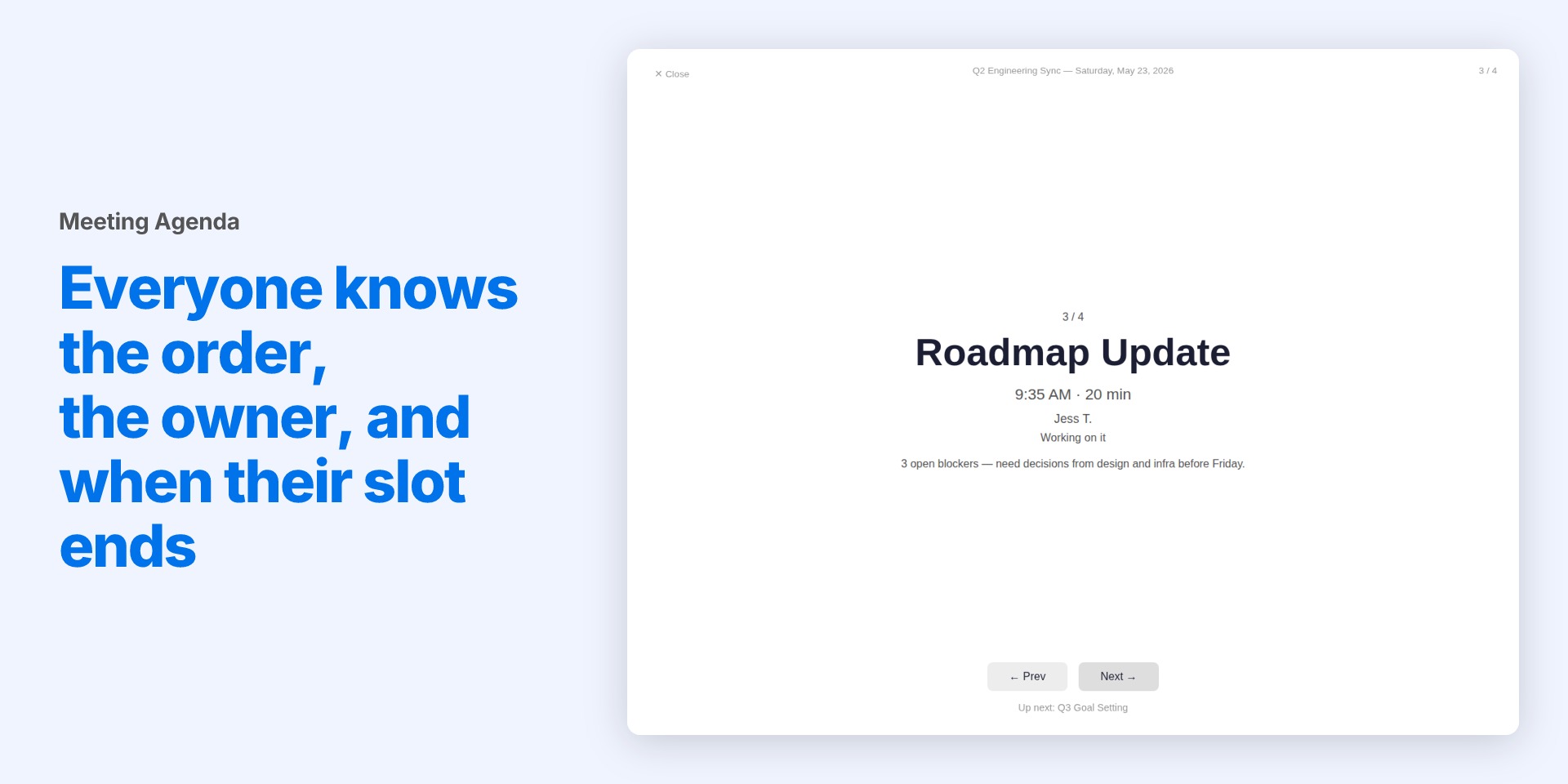
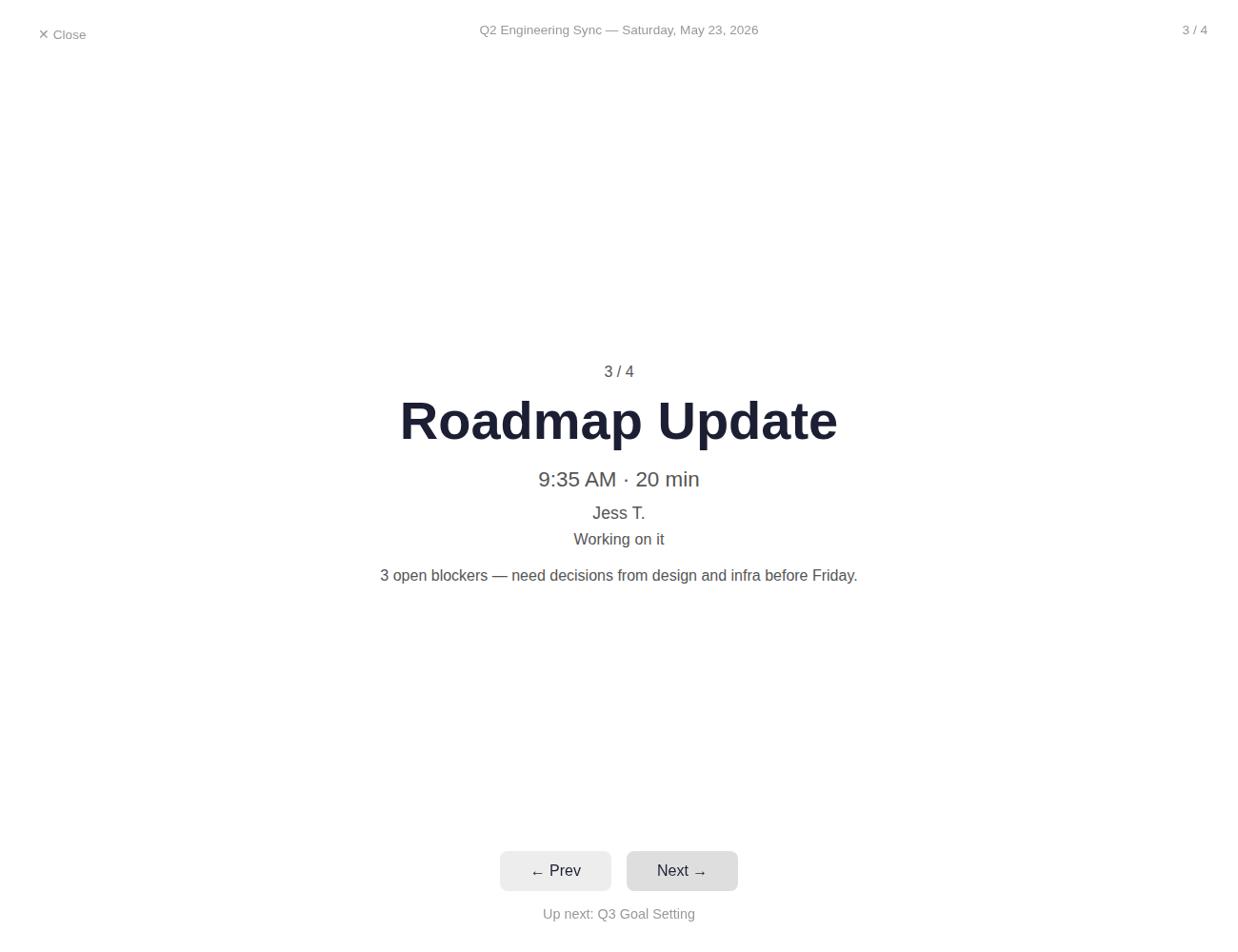
When the meeting starts, switch to Present Mode (Pro). One item at a time, full screen. Each slide shows the item title, your notes, what's coming up next, and the clock time the item should end by. No surprises. No "wait, how long do we have left on this one?"
No new tool to learn. No separate agenda app. It lives in the board you're already using.
Create meeting agendas with up to 100 items.
Features
- Pick board items, set an order and duration for each, and have an agenda in under a minute
- Add a meeting title, date, and start time so the agenda is ready to share
- Copy and paste your agenda or export a clean PDF for attendees
- Present Mode shows one item at a time with notes, what is next, and the end time for each slot
- Lives inside monday.com as a board view, nothing new to install or learn
Try it out
- Agenda Boards Up to 3
- Present Mode
- PDF Export Up to 3
For teams who meet regularly
- Agenda Boards Unlimited
- Present Mode Unlimited
- PDF Export Unlimited
Getting started
- Install Meeting Agenda from the monday.com marketplace.
- Open a board and add the Meeting Agenda view.
- Click "New Agenda", pick your items, set durations, and add a title and start time.
- Copy and paste your agenda, export a PDF, or hit Present when the meeting starts.
- Optionally, go to View Settings to change which Owner, Notes, or Status column the app uses.
FAQ
- How many items can an agenda have?
- Each agenda can include up to 100 items.
- Do I need to configure columns first?
- No. Meeting Agenda automatically picks the first matching column for each setting. You can change them in View Settings any time if you want to use a different one.
- How many agendas can I create on the free plan?
- Free accounts can create up to 3 agendas and export up to 3 PDFs. Copy-paste is always free. Upgrade to Pro for unlimited.
- What does Present Mode show?
- One agenda item at a time, full screen. Each slide shows the item title, your notes, what is up next, and the clock time that slot should end.
- Is Present Mode available on the free plan?
- Present Mode is a Pro feature. Free users can build, copy-paste, and export agendas.